Guiffy Linux11.2
Publisher Description
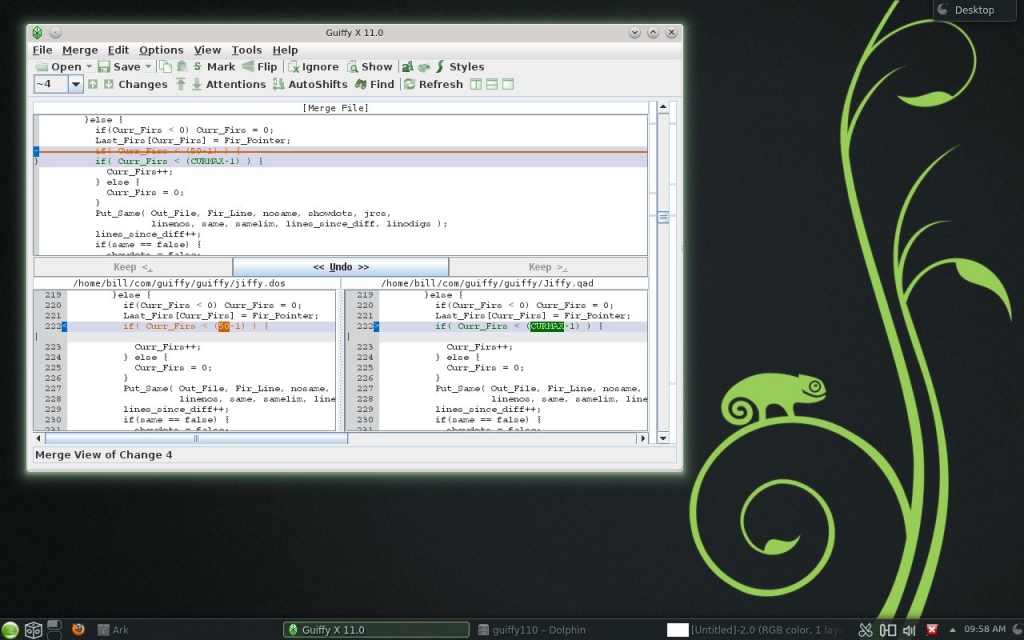
Guiffy SureMerge is a visual file compare Diff tool, Merge tool, and Folder compare tool all-in-one that makes comparing, merging, and upgrading sources as easy and reliable as possible. Guiffy comes with: command line interfaces, an API package, Eclipse and NetBeans integrations and desktop integration. Guiffy recognizes over 150 source file encoding formats (such as UTF8, UTF16, and many other mutlti-byte formats). Advanced visual compare features include in-line difference highlighting and syntax highlighting for more than 20 source code languages. Our Trustworthy 3-way merge, SureMerge, was designed from day 1 to avoid all the problems that plague other 3-way diff based merge tools. SureMerge surpasses all other merge tools with its intelligent hybrid algorithms and ease-of-use. See our SureMerge White Paper which includes test kit files for evaluating 3-way merge tools. Guiffy is implemented entirely in Java with a Swing GUI. Its cross-platform and available for: Windows(2000, XP, 2003, 2008, 2012, Vista, Windows 7, Windows 8), MacOS X(PPC or Intel), Linux(any architecture or distribution), Unix(Solaris, HPUX, AIX, Others), and any Java-enabled platform. This download includes an easy-to-use Linux installer.
About Guiffy Linux
This File & Disk Management program is available in English, French, German, Italian, Spanish, Swedish. It was last updated on 29 September, 2026. Guiffy Linux is compatible with the following operating systems: Linux.
The company that develops Guiffy Linux is Guiffy Software, Inc. The latest version released by its developer is 11.2.
The download we have available for Guiffy Linux has a file size of 7.3 MB. Just click the green Download button above to start the downloading process. The program is listed on our website since 2015-07-07 and was downloaded 62 times. We have already checked if the download link is safe, however for your own protection we recommend that you scan the downloaded software with your antivirus. Your antivirus may detect the Guiffy Linux as malware if the download link is broken.
How to install Guiffy Linux on your Windows device:
- Click on the Download button on our website. This will start the download from the website of the developer.
- Once the Guiffy Linux is downloaded click on it to start the setup process (assuming you are on a desktop computer).
- When the installation is finished you should be able to see and run the program.
Program Details
General
System requirements
Download information
Pricing
Version History
version 11.2
posted on 2015-07-07
Pro($37.50) and eXpert($75) versions/pricing, Patch Preview, Revised % rule for inline diffs highlighting, Accelerated anti-aliasing, and Bug Fixes.
